ManagerOwnerTask Guide
How to Set Up Dining Plans (Buffet & Menu del Día)
Configuring fixed-price menus and all-you-can-eat plans with adult/child rates and included dishes.
Who can do thisManagers and Owners.
Steps
Create a new dining plan
Click "New Plan" and enter a name (e.g. "Weekend Buffet Libre" or "Executive Lunch Menu").
Select whether the plan is an all-you-can-eat style or a fixed multi-course set.
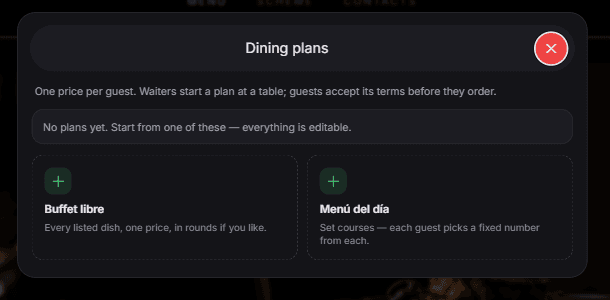
With no plans yet, start from Buffet libre or Menú del día. Everything in a plan can be edited afterwards. Configure pricing per guest
Set the adult price and child price per person.
When a waiter starts this plan at a table, the system automatically bills the party according to the guest counts specified.
Specify included dishes
Select which menu dishes are included in the plan at no additional charge.
Dishes included in the plan will show as "Included in Plan" on customer phones once the plan is activated by staff.
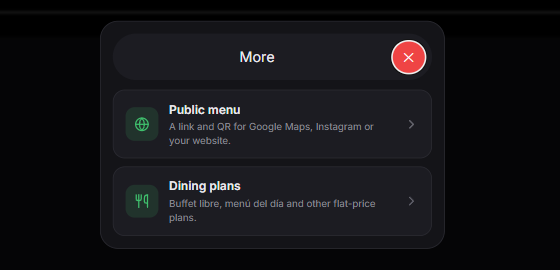
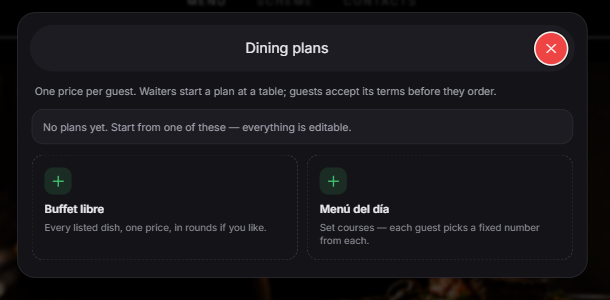
What you should see
Dining plans are available for waitstaff to launch at active tables.
Good to know
- Guests cannot start a dining plan on their own; waitstaff must initialize it from `/waiter/tables` by tapping the "Plan" button on that table.