GuestWaiterGuest Flow
How to Scan the Table QR Backup
How customers access the menu using their camera app if their phone does not support NFC.
Who can do thisRestaurant Guests and Waiters assisting guests.
Steps
Open your phone camera
Open the built-in Camera app on your smartphone.
Almost all modern iOS and Android cameras automatically detect QR codes without third-party scanner apps.
Frame the QR code on the table card
Point the camera lens at the QR code printed on the table card or disc.
Hold the camera steady 15–20 cm away so the entire QR square is visible.
Tap the menu link banner
Tap the link banner that appears in the camera viewfinder.
Your phone will open the table menu in your browser, identical to the NFC experience.
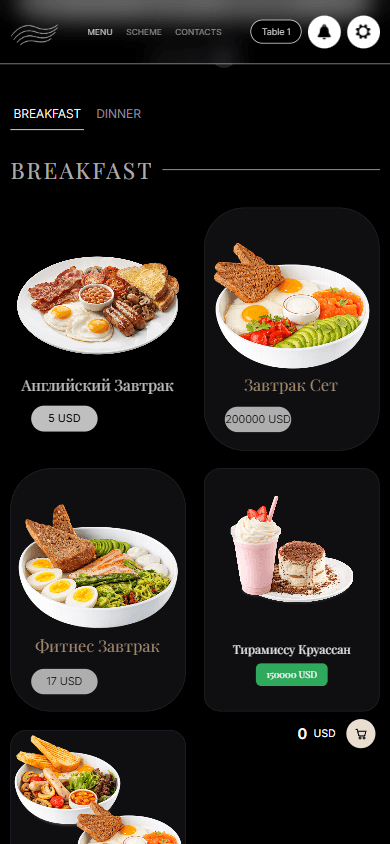
The same table menu opens from the QR link.
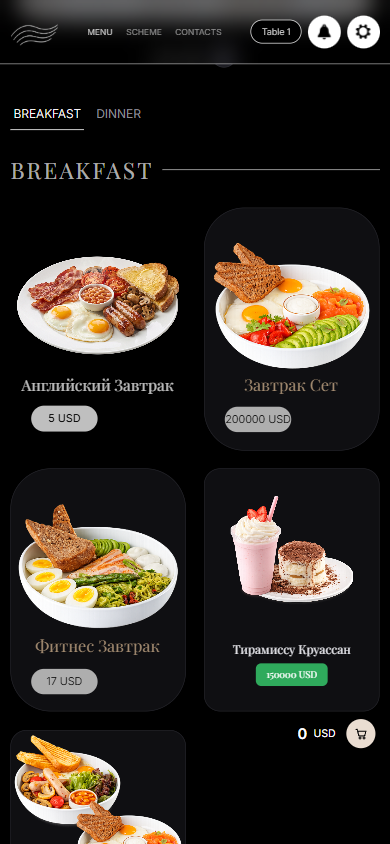
What you should see
The guest is viewing the restaurant menu for their table via standard camera scan.
Good to know
- The QR backup links to the exact same table session as the NFC tap.
Related guides
- How to Tap the Table NFC CardHow customers open the digital table menu by touching their phone to the table card without downloading any app.
- Browsing the Menu and Customizing DishesNavigating categories, dish options, combo substitutions, and ingredient preferences.
- Troubleshooting: Customer Cannot Open Menu or Tap Does Not WorkResolving issues where phone taps fail, notifications do not appear, or the menu displays an error.